

TL;DR:
- High-quality audio input and proper recording environment are crucial for accurate transcription results.
- Combining AI transcribers with human review ensures maximum accuracy for critical business documentation.
- Prioritizing equipment, environment, and workflow processes significantly enhances AI transcription quality more than software upgrades.
Every hour spent manually transcribing a meeting is an hour stolen from actual work. Professionals in legal, medical, and corporate settings lose significant productivity to note-taking, only to end up with incomplete records that miss key decisions. AI-powered transcription changes that equation entirely. This guide walks you through exactly what you need, each step of the process, how to handle common pitfalls, and how to verify your final output so every recording becomes a reliable, searchable business asset.
Table of Contents
- What you need before you start audio transcription
- Step-by-step process: From raw audio to accurate transcript
- Common challenges in audio transcription and how to overcome them
- Quality control: Reviewing and finalizing your transcript
- What most guides miss: Audio quality overshadows everything
- Upgrade your transcription workflow with AuroraNote
- Frequently asked questions
Key Takeaways
| Point | Details |
|---|---|
| Start with great audio | Audio quality matters more than software for accurate transcriptions. |
| Follow proven steps | A structured process ensures each segment is handled efficiently. |
| Anticipate common errors | Tackle noise, accents, and crosstalk for clearer, usable output. |
| Review before finalizing | Human review of AI output ensures accuracy essential for professional use. |
What you need before you start audio transcription
Good transcription starts long before you press record. Skipping the preparation phase is the single most common reason professionals end up with unusable transcripts, regardless of how powerful their software is.
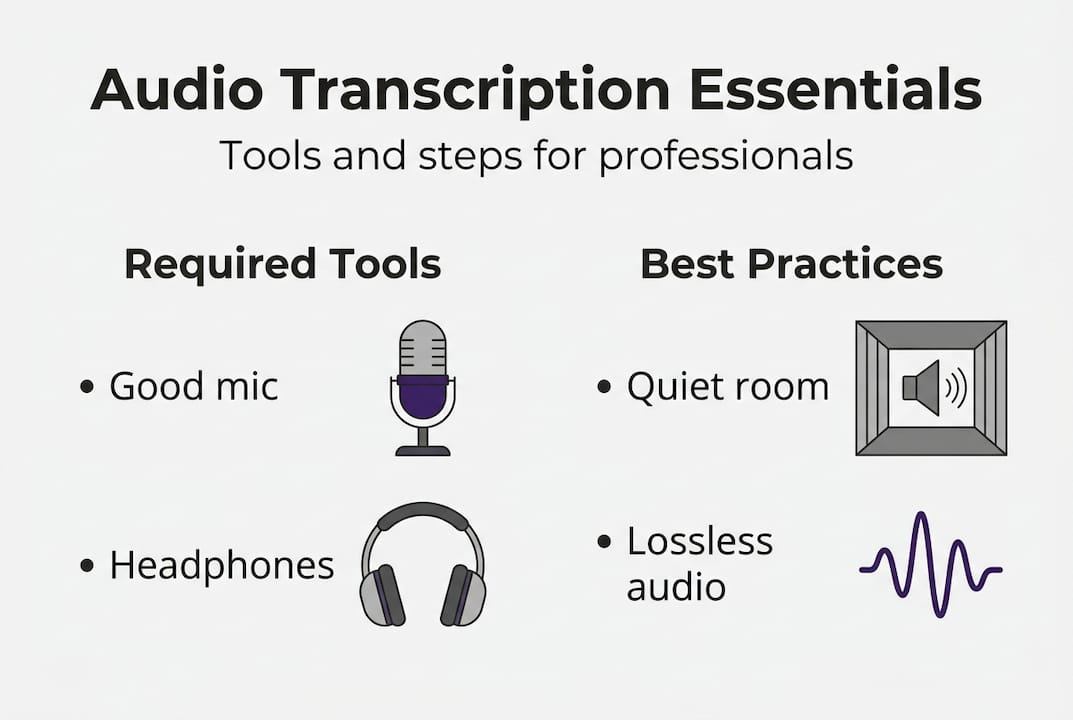
On the hardware side, you need a directional or cardioid microphone positioned close to the speaker. Built-in laptop microphones introduce too much room noise and distance distortion. A dedicated USB or XLR mic, even an entry-level one, makes a measurable difference in output quality. Pair that with a quiet recording environment: close doors, silence notifications, and if possible, use soft furnishings to reduce echo.
For software, your choice depends on your use case. Enterprise workflows require clean audio inputs, proper integrations, and security controls before any AI tool can deliver reliable results. Here is a quick comparison of the main tool categories:
| Tool type | Best for | Accuracy range | Key limitation |
|---|---|---|---|
| AI-only (e.g., Whisper) | Speed, scale, automation | 90-99% | Struggles with noise/accents |
| Hybrid (AI + human review) | Business-critical content | 97-99% | Slower turnaround |
| Manual transcription | Sensitive or niche content | Near 100% | Very time-intensive |
Beyond hardware and software, integrations matter. The most productive setups connect your transcription tool directly to your existing workflow. Must-have integrations for enterprise teams include:
- Zoom and Microsoft Teams for automatic post-meeting capture
- Cloud storage (Google Drive, SharePoint, Dropbox) for searchable archiving
- CRM or project management tools for linking transcripts to action items
- SSO and role-based access for security compliance
Audio format is often overlooked. Following recording best practices means choosing lossless or high-bitrate formats whenever possible.
Pro Tip: Use WAV files instead of MP3 for source recordings. WAV preserves full audio fidelity, while MP3 compression removes frequency data that AI models use to distinguish phonemes. The AI transcriber essentials for enterprise use always prioritize uncompressed input.
Step-by-step process: From raw audio to accurate transcript
With all tools and setup in place, you are ready to follow the process that turns your recording into a usable transcript. Modern AI transcription is not a single-click operation. It involves several distinct stages, each of which affects final quality.
The step-by-step AI transcription process includes audio preprocessing, feature extraction, acoustic modeling, language context application, speaker diarization, and post-processing. Here is what each stage means in practice:
- Audio preprocessing. The system cleans the raw file, removing background noise, normalizing volume levels, and segmenting the audio into manageable chunks. This is where format quality pays off.
- Feature extraction. The AI converts audio waveforms into spectrograms or Mel-frequency cepstral coefficients, the mathematical fingerprints of sound that the model reads.
- Acoustic modeling. The model matches audio features to phonemes and words using a trained neural network. ASR model benchmarks show significant variation here depending on training data.
- Language context application. A language model layer applies grammar, syntax, and domain vocabulary to resolve ambiguous phoneme matches. This is why domain-aware models outperform generic ones for legal or medical content.
- Speaker diarization. The system separates and labels different speakers. This step is critical for meeting transcripts where multiple voices overlap or alternate rapidly.
- Post-processing. Smart punctuation, capitalization, and formatting are applied. The output becomes readable text rather than a raw word stream.
For a real-world example: a 90-minute board meeting recording goes through all six stages in roughly 5 to 10 minutes with a modern AI platform. The output includes timestamped speaker turns, formatted paragraphs, and flagged low-confidence segments.
Pro Tip: Insert a human review checkpoint after step 6, specifically for speaker labels and proper nouns. AI models handle common names well but often misidentify industry-specific terminology or unusual names. Reviewing the audio transcription stages output at this point saves significant correction time downstream.

| Method | Speed | Accuracy | Best use case |
|---|---|---|---|
| AI-only | Very fast | 90-97% | Internal notes, drafts |
| Hybrid (AI + human) | Moderate | 97-99% | Legal, medical, board minutes |
| Manual only | Slow | Near 100% | Highly sensitive, niche content |
Common challenges in audio transcription and how to overcome them
Even the best process can falter if you hit common snags. Here is how to anticipate and address them before they create costly rework.
Accents, background noise, and overlapping speech are the top three drivers of word error rate spikes. Each one degrades accuracy in a different way and requires a targeted fix.
Noise can increase word error rate by 15 to 20%. Overlapping speech can push WER above 50% in uncontrolled environments. Even a single loud background event can corrupt an entire segment.
Here are the most common transcription accuracy issues and how to solve them:
- Background noise. Use directional microphones, enable noise suppression in your recording software, and record in treated spaces. Post-recording noise reduction tools like Krisp or Adobe Enhance can salvage imperfect files.
- Accents and dialects. Choose AI models trained on diverse speaker data. Apply custom vocabulary lists for names, brands, and domain terms your team uses regularly.
- Crosstalk and overlapping speakers. Set meeting norms: one speaker at a time, use a moderator for large calls. Some platforms offer turn-taking cues that reduce overlap.
- Poor equipment. Invest in at minimum a $50 to $100 USB cardioid mic. The accuracy gain far outweighs the cost compared to reworking a corrupted transcript.
- Inconsistent audio levels. Use a compressor or normalize audio before uploading. Sudden volume drops confuse acoustic models.
For troubleshooting transcription issues at scale, the most productive approach is to build a pre-meeting checklist that your team follows before every recorded session. Standardizing input quality is far more efficient than fixing output errors after the fact.
Quality control: Reviewing and finalizing your transcript
Once your initial transcript is generated, there is a crucial final step to ensure accuracy and usefulness. Raw AI output, even at high accuracy, is not a finished document. It needs structured review before it becomes a reliable business record.
Clean professional audio achieves 95 to 99% accuracy in top ASR models. That sounds impressive, but at 97% accuracy, a 10,000-word transcript still contains roughly 300 errors. For legal depositions or board minutes, that is unacceptable without review.
Here is a practical review workflow:
- First pass: speaker labels. Verify that every speaker turn is correctly attributed. Misattributed quotes are the most damaging error type in professional transcripts.
- Second pass: proper nouns and terminology. Check product names, client names, legal terms, and technical vocabulary. These are where AI models make the most substitution errors.
- Third pass: punctuation and sentence boundaries. Smart punctuation is good but not perfect. Review for run-on sentences and missing question marks in Q&A sections.
- Fourth pass: completeness. Flag any segments marked low-confidence by the AI. These often correspond to crosstalk or audio dropouts that need manual fill-in.
- Archive and index. Store the finalized transcript with metadata: date, participants, meeting type, and key topics. This makes it searchable and reusable.
For final transcript review steps, building a review template your team uses consistently will cut QC time by 30 to 40% over ad-hoc checking. Consider model considerations when selecting your AI platform, as some models offer confidence scoring that makes the review process significantly faster.
What most guides miss: Audio quality overshadows everything
Most enterprises spend weeks evaluating AI transcription vendors, comparing word error rates on benchmarks, and negotiating software contracts. Then they run their first real meeting through the chosen platform and wonder why accuracy dropped.
The uncomfortable reality is that no single ASR model excels universally, and audio quality impacts outcomes far more than model selection does. A clean recording processed by a mid-tier AI will consistently outperform a noisy recording fed into the most expensive enterprise platform available.
We have seen this pattern repeatedly. Organizations allocate significant budget to software while their teams still join calls from open offices, use laptop mics, and record over unstable connections. The recording workflow fundamentals that drive real accuracy gains are almost always environmental and behavioral, not technological.
Pro Tip: Before upgrading your AI platform, audit your recording conditions. A $75 microphone and a quiet room will deliver more accuracy improvement than a $500/month software upgrade on the same poor audio.
The practical implication for budget planning is clear. Allocate resources to microphone standards, meeting room acoustics, and user training first. Then layer in advanced AI capabilities through platforms like AuroraNote transcription strategy once your input quality is consistent. That sequence produces compounding returns.
Upgrade your transcription workflow with AuroraNote
Putting these strategies into practice is straightforward when you have the right platform behind you. AuroraNote is built specifically for professionals and enterprises who need more than raw text output from their recordings.
With the AuroraNote AI transcriber, you get speaker diarization, domain-aware vocabularies, smart punctuation, and direct integrations with the tools your team already uses. Every transcript becomes a structured, searchable knowledge asset, complete with executive summaries, action item extraction, and sentiment analysis. Security, accuracy, and workflow efficiency are built into every layer. Start turning your meetings into actionable intelligence today.
Frequently asked questions
What is the most accurate AI audio transcription model in 2026?
ElevenLabs Scribe v2 at 2.3% AA-WER leads current benchmarks, but real-world performance depends heavily on your audio clarity and domain vocabulary.
How can I reduce errors in my audio transcription?
Use high-quality directional microphones and record in quiet environments. Noise raises WER by 15 to 20% and overlapping speech can push it above 50%, so physical setup improvements deliver the fastest accuracy gains.
Is batch or real-time transcription better for professional use?
Batch processing delivers 95 to 98% accuracy compared to 85 to 90% for real-time in enterprise settings, making it the better choice when turnaround time allows.
Do I still need human review with AI transcription?
Yes, especially for business-critical content. AI combined with human review produces the best results in enterprise transcription, catching the errors that even high-accuracy models miss.